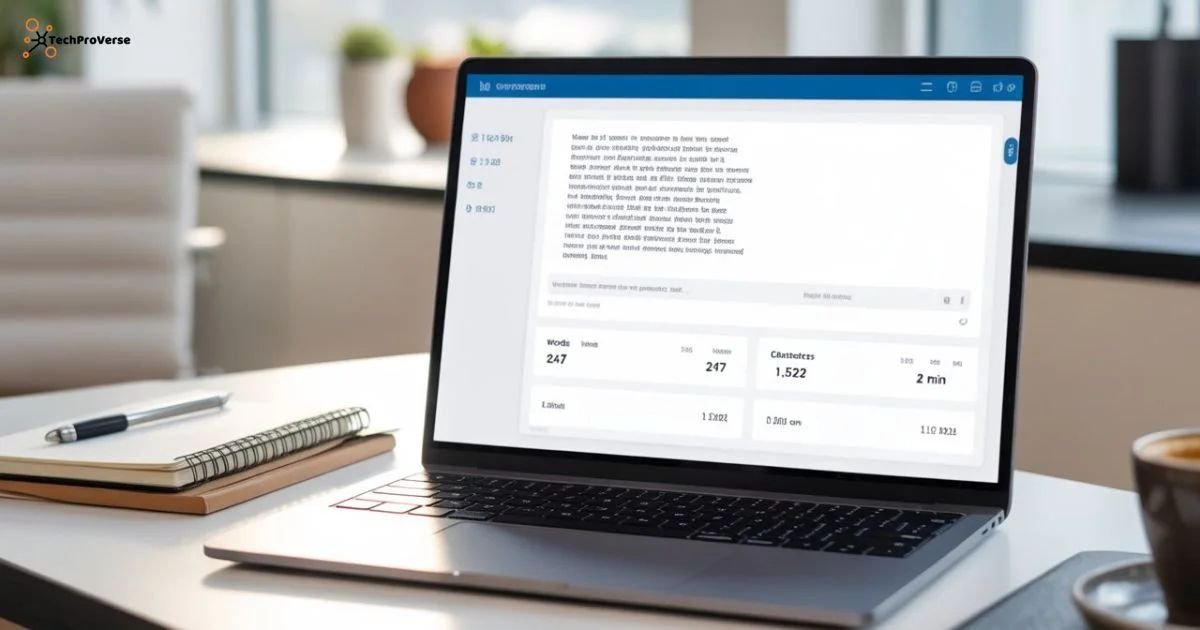
What Is a Word Counter Tool?
A Word Counter Tool is an online text analysis utility that shows the total number of words, characters, sentences, and paragraphs in any piece of writing. It works directly inside your browser, meaning you don’t need to download any software or create an account. The tool instantly analyzes your content and presents detailed statistics that help you write better, optimize text length, and maintain clarity.
In today’s digital world, where every platform from blogs to social media has different text limits, a reliable word counter has become a daily use necessity for writers, students, developers, and marketers. Whether you’re drafting an email, creating a blog, or preparing an assignment, this tool gives you complete control over your content length.
Our Tools:
Free Image to PDF Converter Online
Free Word Counter Tool Online
Free Image Compressor Tool Online
Why Is a Word Counter Tool Important?
Text length plays a crucial role in communication. Too many words may make your message confusing, while too few might leave it incomplete. Here’s why a word counter is essential:
1. Helps Maintain Ideal SEO Content Length
For bloggers and SEO experts, article length matters. Search engines often prefer well-structured content that crosses a certain word count threshold. A word counter ensures your content stays within an SEO-friendly range.
2. Avoids Overwriting and Underwriting
When writing essays, emails, or assignments, you often have strict limits. Exceeding them causes problems, and writing too little can make your submission look incomplete. The tool keeps your content perfectly balanced.
3. Useful for Social Media Text Limits
Each platform has character limits Twitter (X), Instagram, TikTok, and YouTube descriptions all follow specific lengths. A word counter helps you stay within those boundaries without losing message clarity.
4. Ensures Professional Communication
Whether preparing resumes, product descriptions, or official communications, a concise message always performs better. This tool helps maintain professionalism.
How Does a Word Counter Tool Work?
A modern word counter uses client side JavaScript to process everything instantly. As soon as you start typing or paste your text, the tool analyzes it in real time and calculates:
- Total words
- Total characters (with and without spaces)
- Sentences
- Paragraphs
- Reading time
- Speaking time
- Keyword density (optional)
Because the processing happens on your device, the tool doesn’t store or upload your text, making it completely secure and private.
Key Features of a Professional Word Counter Tool
1. Real-Time Word & Character Count
The tool updates the count instantly as you type. You don’t need to click any button the results appear automatically.
2. Reading Time & Speaking Time Estimator
This feature is useful for bloggers, YouTubers, teachers, and podcasters. It calculates how long it takes an average person to read or speak the content, helping you match time requirements.
3. Accurate Sentence & Paragraph Detection
The tool uses smart algorithms to understand punctuation and spacing, giving accurate sentence and paragraph results.
4. Advanced Keyword Density Checker
For SEO writers, keyword density matters. Too much repetition can lead to keyword stuffing; too little may weaken your ranking. This feature saves you from both.
5. Clean, Lightweight & Fast Interface
A good word counter tool loads instantly, has no ads, and provides a distraction free writing environment.
6. Supports Large Texts
Whether you paste 10 words or 10,000 words, the tool handles everything without lag.
7. No Data Storage Fully Private
Your content never leaves your device. This makes it safe for sensitive or confidential text.
Who Should Use a Word Counter Tool
📌 Content Writers & Bloggers
Writers use the tool to optimize article length, maintain SEO quality, and ensure balanced keyword usage.
📌 Students & Teachers
Essays, assignments, summaries, research reports all require word count limits. This tool helps both teachers and students manage requirements.
📌 Freelancers & Copywriters
When writing product descriptions, landing pages, or ad copy, every word matters. A word counter helps maintain precision.
📌 Social Media Managers
Instagram captions, tweet limits, YouTube descriptions, and Facebook posts all need character control.
📌 Programmers & UI/UX Designers
When writing placeholder text, button labels, form messages, or app content, this tool ensures text fits perfectly.
📌 Job Seekers
Cover letters, bios, resumes, and summaries must be concise. A word counter helps maintain professionalism.
Benefits of Using a Word Counter Tool
✔️ Makes Your Writing Clearer
You can instantly detect long sentences or unnecessary words and fix them to improve readability.
✔️ Increases Productivity
By knowing your writing progress, you can set daily goals and measure improvements.
✔️ Helps With SEO-Friendly Writing
Search engines prefer structured content. This tool ensures your word count aligns with SEO best practices.
✔️ Saves Time & Effort
No need to open Word or Google Docs just paste your content and get results immediately.
✔️ Improves Social Media Engagement
Short, crisp captions perform better. This tool helps maintain the perfect length.
Is an Online Word Counter Safe
Yes as long as it works locally inside your browser. No data is stored, uploaded, or shared. It is completely safe for:
- private notes
- academic documents
- business emails
- blog drafts
- client projects
Always choose an HTTPS secured site for maximum privacy.
Mistakes Writers Avoid Using This Tool
1. Keyword Overuse (Keyword Stuffing)
Writers often overuse keywords for SEO, which harms rankings. A word counter with keyword density prevents that.
2. Unbalanced Paragraphs
Paragraphs that are too long reduce readability. Monitoring word count helps maintain structure.
3. Extra Unnecessary Words
Many writers unknowingly add filler words. This tool helps detect and remove them.
4. Overshooting Platform Limits
Social media and academic platforms have strict limits. The tool keeps you within those boundaries.
Related Headings:
Word Counter Tool Count Words & Characters Instantly
How to Convert Image to PDF Online
Free Image Compressor Tool Online
Final Words
A Word Counter Tool is more than just a simple counting utility it’s a powerful writing assistant. Whether you’re a blogger, student, social media creator, developer, or professional writer, this tool helps you write better, clearer, and more optimized content. Its real time accuracy, privacy friendly design, and advanced features make it an essential part of modern writing workflows.
If you maintain a tools website, adding a fast and accurate word counter not only helps users but also improves your website engagement and search performance.
Frequently Asked Questions.
1. What is a word counter tool?
A word counter tool instantly measures the number of words, characters, sentences, and paragraphs in any text you paste.
2. Why should I use a word counter?
It helps you stay within writing limits for essays, articles, social posts, and professional documents.
3. Does a word counter improve writing quality?
Yes by tracking length, structure, and readability, it helps you write clearer and more organized content.
4. Can I count characters and paragraphs too?
Absolutely most word counter tools show characters, sentences, and paragraph counts along with word totals.

Welcome to TechProVerse! I’m Abdullah, a WordPress and front-end developer, as well as an SEO researcher with 1.5 years of experience. I help websites get built, optimized, and rank higher on Google. Let’s achieve more together!