Spotting online scams has become harder than ever because attackers now use smarter tricks, emotional manipulation, and even AI-generated messages. If you want to stay safe, you need to understand how to detect phishing attacks before they fool you into clicking a dangerous link or sharing sensitive information. These emails and messages often look real, but a few hidden signs can reveal the truth.
Cybercriminals rely on psychological pressure, fake urgency, and perfectly crafted websites to steal your data. Learning to detect phishing attacks gives you the power to identify these traps quickly and avoid financial loss or identity theft. With the right knowledge and a bit of awareness, you can stay ahead of modern cyber threats and protect your accounts with confidence.
What Is a Phishing Attack?
A phishing attack is a type of social engineering where criminals pretend to be trusted organizations to steal passwords, financial information, or personal data. These scams arrive through email, SMS, phone calls, and fake websites. They often use email spoofing, fake login pages, and advanced AI-based messages to look completely real and make it harder for users to detect phishing attacks.
Phishing works by creating a sense of trust. Attackers design convincing messages, clone websites, and use emotional triggers so you click without thinking. Their main goal is to steal sensitive information or gain access to your accounts, which is why learning to detect phishing attacks is essential.
How Phishing Works Step by Step
A phishing attempt usually begins with criminals gathering your information from public sources. They send a targeted message that asks you to click a suspicious link or open a malicious file. Once you submit your details on the fake page, the attackers instantly collect your credentials and access your accounts.
Common Real-Life Examples
Examples include account deactivation messages, fake courier delivery notices, Nigerian prince scam offers, and password reset alerts. All of these lead to suspicious links or harmful attachments designed to fool you.
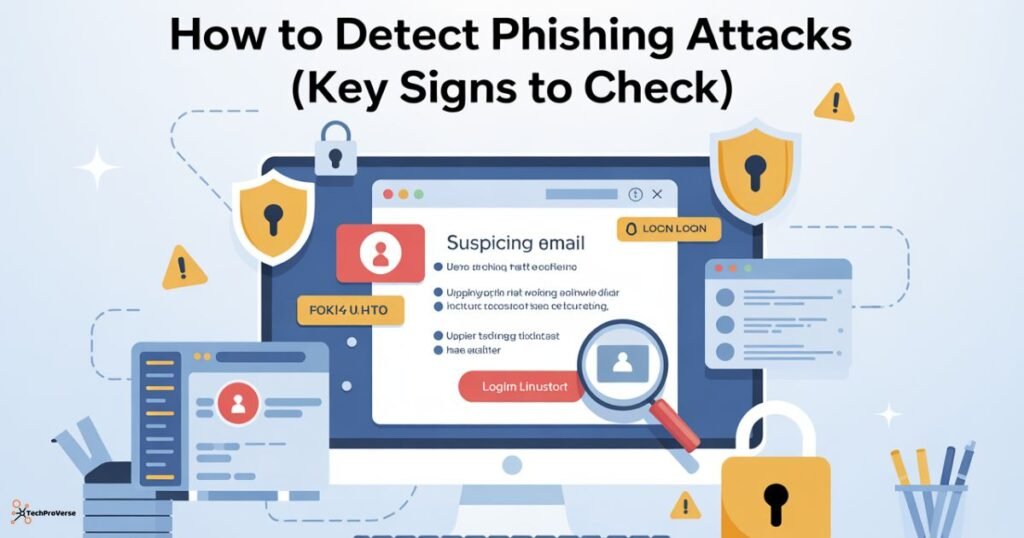
How to Detect Phishing Attacks (Key Signs to Check)
The best way to stay secure is to learn how to correctly detect phishing attacks. Scammers depend on small mistakes you do not notice. If you recognize unusual patterns, you can avoid most online scams with ease.
Look closely at sender details, message tone, links, and requests for personal information. Any unexpected or unusual behavior is a warning sign worth checking.
Suspicious Sender Name
Attackers use display names that look official, but the real email address reveals a spoofed or fake domain. Always inspect the full email address before responding.
Grammar Errors and Typos
Most phishing messages contain broken language, odd phrasing, and typing mistakes. These issues appear because attackers often use translation tools or low-quality templates.
Urgency or Fear Tactics
Messages that say your account will be locked or your payment has failed try to create panic. Attackers want you to act quickly without thinking.
Fake Links and Hovering Over URLs
Phishing emails hide dangerous URLs inside clean-looking text. When you hover your cursor over the link, you can see mismatched domains or strange spellings that reveal a trap.
Types of Phishing You Should Know
Phishing comes in many forms. Understanding these types will help you detect phishing attacks in advance and avoid falling for dangerous tricks.
Spear Phishing
A highly targeted attack where criminals personalize messages using your job role, interests, or online activity.
Clone Phishing
Attackers copy a legitimate email you previously received and replace the original link with a harmful one.
Whaling Attacks
A specialized attack aimed at executives or high-value individuals using highly professional and detailed messages.
Multi-Channel Phishing SMS Calls Social Media
These attacks use different channels, such as text messages, voice calls, or social media direct messages, to reach the victim.
Advanced Techniques Hackers Use in Phishing Attacks
Modern attackers use sophisticated techniques to fool victims. These methods bypass filters and look extremely realistic.
Website Forgery and Fake Login Pages
Criminals copy genuine websites and build fake login forms. When you enter your details, they capture everything instantly.
Account Deactivation Scams
Scammers send messages claiming your banking or service account will be removed unless you verify it. These messages use fear to force quick decisions.
Too Good to Be True Offers
Messages offering lottery winnings or free products are often advance fee scams that attempt to steal personal or financial information.
How AI Helps Detect Phishing Attacks
Artificial intelligence is now essential in cybersecurity. AI systems help detect phishing attacks by scanning patterns and blocking harmful content before you see it.
AI-Based Email Scanning
Machine learning scans email behavior and compares messages with millions of phishing email examples to identify suspicious activity.
Behavior-Based Analysis
AI monitors unusual login attempts, strange device activity, and abnormal user behavior to detect identity theft or account takeover incidents.
Malicious URL Detection
AI checks links in real time to detect fake websites, fraudulent login pages, and suspicious redirects.
Tools and Solutions to Detect Phishing Automatically
Security tools add strong protection for users and organizations. They help detect phishing attacks by scanning emails, websites, and suspicious files.
Email Security Tools
Platforms like Cloudflare Email Security and Microsoft Defender filter phishing attempts using advanced threat intelligence.
Anti-Phishing Browser Extensions
These extensions warn you about suspicious websites, fake forms, and unsafe pages without a secure connection.
Threat Intelligence Platforms
These platforms track global phishing campaigns and detect malicious infrastructure, such as DNS fast fluxing used to hide criminal activity.
How to Spot Fake Email Links and Attachments
Spotting fake content is essential because attackers hide tricks inside links and attachments. Careful checking prevents most phishing incidents.
Hovering Over Links Safely
Hovering your cursor over a link reveals the true destination. This helps identify mismatched domains and other phishing indicators.
Verifying Attachments Before Opening
Avoid downloading strange files, such as PDF or ZIP documents, from unknown senders. These often contain malicious code.
Checking Domain Authenticity
Always confirm that the domain uses HTTPS and matches the official company website without extra characters.
How to Prevent a Successful Phishing Attack
Even if you can detect phishing attacks, developing safe habits is necessary for long-term protection.
Do Not Share Sensitive Information Quickly
Legitimate companies never ask for passwords, OTP codes, or banking details through messages.
Enable Multi-Factor Authentication (MFA).
MFA protects your accounts even if your password is stolen by blocking unauthorized access.
Update Your Devices Regularly
Updates fix security flaws that attackers exploit to install malware and ransomware.
What to Do If You Suspect a Phishing Attempt
Quick action protects your accounts and personal information from further damage.
Report It Immediately
Use reporting tools in Gmail or Outlook to flag the suspicious message and block the sender.
Contact the Real Company
Reach out to the official company through verified contact information to confirm if the message is genuine.
Change Compromised Passwords
If you clicked a suspicious link, change your passwords immediately to secure your accounts.
How Phishing Fits Into Larger Cyber Attack Campaigns
Phishing is usually the first step in a much bigger cyberattack. It gives criminals direct access to systems they want to exploit.
Malware Delivery via Phishing
Some phishing messages deliver harmful files designed to install ransomware or other malware on your device.
Credential Theft and Account Takeover
Once attackers have your login details, they use them for deeper system access and business email compromise attacks.
Tips to Stay Safe and Avoid Phishing in 2026
Online scams are becoming more advanced, especially with AI tools. Staying aware is the best long-term defense.
Awareness Training
Regular learning helps you recognize phishing warnings and avoid risky behavior.
Regular Account Monitoring
Check your accounts for suspicious logins or unknown activity to catch problems early.
Antivirus and Firewall Protection
Modern security software blocks harmful downloads, fake websites, and online scams automatically.
Related Headings:
How to Protect Your Data Online: Complete Guide for 2025
Zero-Day Vulnerability News 2025: Urgent Threats, Active Attacks & Patch Alerts
How to Protect Your Data Online: Complete Guide for 2025
Endpoint Security for Small Business: Complete Protection Guide for 2026
How to Use Urban VPN in 2025 | Free VPN Service Guide
Managed Security Service Provider (MSSP): Complete Guide in 2025
How to Use Opera GX VPN (Complete Guide)
Beginner’s Guide to Blue Team Cybersecurity
Frequently Asked Questions.
1. Can phishing be detected?
Yes, you can detect phishing attacks by checking for suspicious links, fake domains, and unusual sender details.
2. What is a common indicator of a phishing attack?
A common sign you can use to detect phishing attacks is an urgent message asking you to click a link or share personal information.
3. What are the 4 P’s of phishing?
The four Ps that help you detect phishing attacks are Promise, Problem, Prompt, and Panic, which are used to trick victims.
4. What are two warning signs of a phishing attack?
Two clear warnings that help you detect phishing attacks are unexpected attachments and mismatched sender domains.
5. What is the most common phishing email?
The most common type is an account verification message designed to trick you before you detect phishing attacks.

Welcome to TechProVerse! I’m Abdullah, a WordPress and front-end developer, as well as an SEO researcher with 1.5 years of experience. I help websites get built, optimized, and rank higher on Google. Let’s achieve more together!