In today’s fast-paced digital world, one needs to understand how Google AI Mode can be used to get smarter, faster, and more accurate results. Unlike the old search engines that depend so much on keywords and ranking signals, Google AI Mode uses advanced LLM technology, multi-query analysis, and Google’s information ecosystem to give clear, real-time, and conversational answers. Whether you’re planning a trip, conducting research, or comparing products, this tool reduces unnecessary scrolling and improves comprehension. In this guide, learn how Google AI Mode works, how it differs from standard search, and practical tips to get the most out of it.
What is Google AI Mode?
Google AI Mode represents an AI-driven search experience beyond traditional keyword queries. It synthesizes information from YouTube, Google Maps, Shopping, and Knowledge Panels into compact answers in natural language. Instead of opening multiple tabs and skimming through dozens of links, users will immediately get actionable insights.
Key Highlights:
- Uses Gemini AI and retrieval-augmented generation (RAG) for deep search
- Delivers context-aware, conversational responses
Integrates structured and unstructured data for better information discovery
How Google AI Mode Differs from Standard Search
| Feature | Traditional Search | Google AI Mode |
| Information Style | Links & snippets | AI-driven summaries |
| Query Processing | One query at a time | Multi-query search |
| Interaction | One-off | Conversational, context-aware |
| Data Sources | Web pages only | Web + YouTube + Maps + Shopping |
| Complexity Handling | Moderate | Excellent for layered research |
Key Differences:
- Traditional search focuses on ranking and SEO; Google AI Mode focuses on intent and context.
- AI Mode provides real-time summaries, reducing time spent navigating multiple sources.
- Follow-up prompts allow extended conversational search, unlike traditional search.
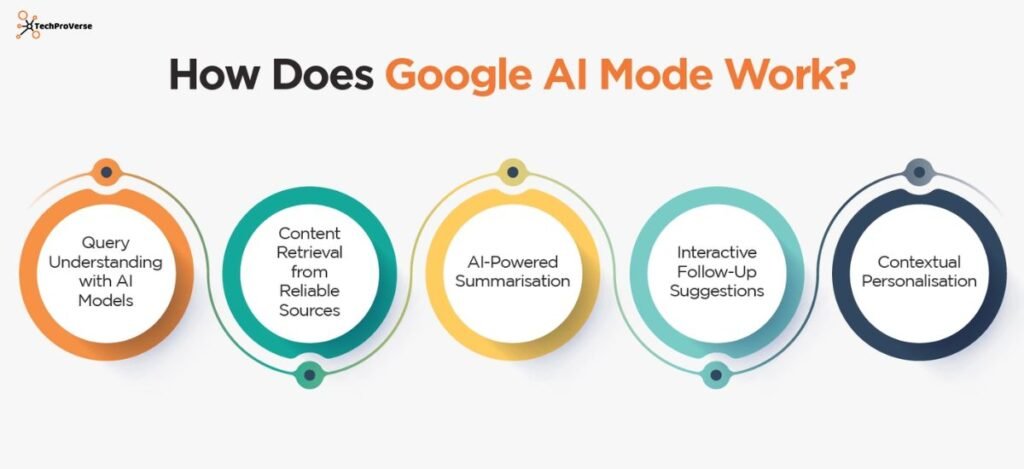
How Google AI Mode Works
Google AI Mode uses advanced techniques to gather and synthesize information:
- Gemini AI analyzes queries using large language models
- Query fan-out retrieves data from multiple sources simultaneously
- Synthesis Engine consolidates results into clear, actionable answers
Example: Searching for “best AI productivity tools” in AI Mode gives you a ranked summary of top tools, pricing, and user ratings, instead of dozens of scattered links.
Key Features of Google AI Mode
Real-Time Answers
Instant responses based on updated online data, combining traditional search with AI reasoning.
Contextual Understanding
The AI remembers previous queries, user intent, and task context for more accurate results.
Extended Conversations
Multi-step queries allow continuous refinement without restarting the search.
Benefits of Using Google AI Mode
- Faster & Smarter Search: Multi-query search provides synthesized answers quickly
- Complex Queries Simplified: Handles layered tasks like comparisons, planning, and analysis
- Improved Information Discovery: Highlights relevant insights, reducing excessive scrolling
- Enhanced Productivity: Ideal for researchers, students, and professionals
Real-World Examples
- Trip Planning: AI Mode generates suggested itineraries combining Maps, reviews, and travel tips
- Product Comparison: Retrieves prices, reviews, and features from Shopping and web sources
- Research Summaries: Condenses long articles from YouTube, web pages, and PDFs into concise summaries
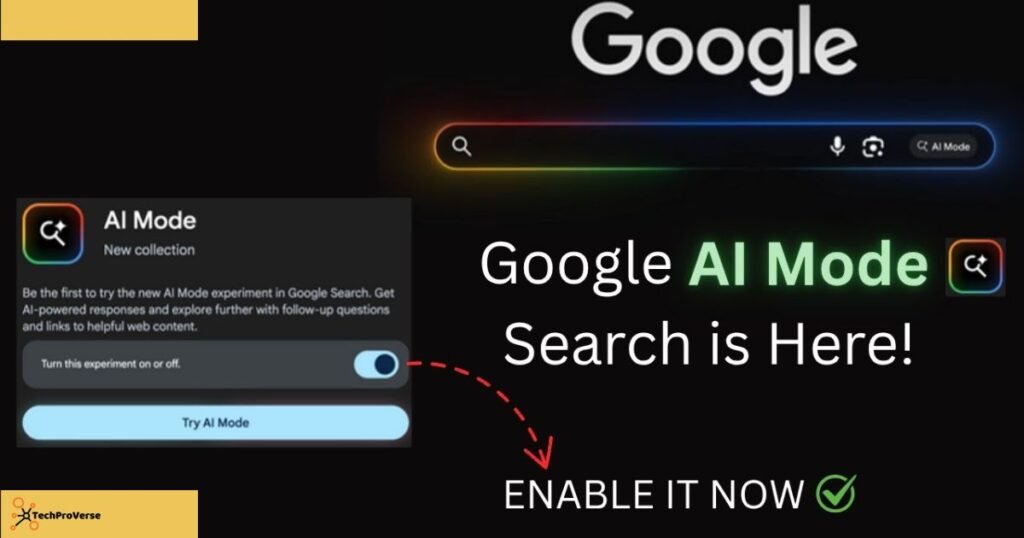
Accessing Google AI Mode
On Google Search
- On desktop or mobile, simply locate the “AI Mode” or “Search with AI” toggle to activate the feature.
- Activates conversational search immediately
On Android Devices
- Integrated with Gemini AI, it can activate automatically or via voice commands
Automatic Activation
- Triggered during deep research, multi-layer searches, or explanation/comparison queries
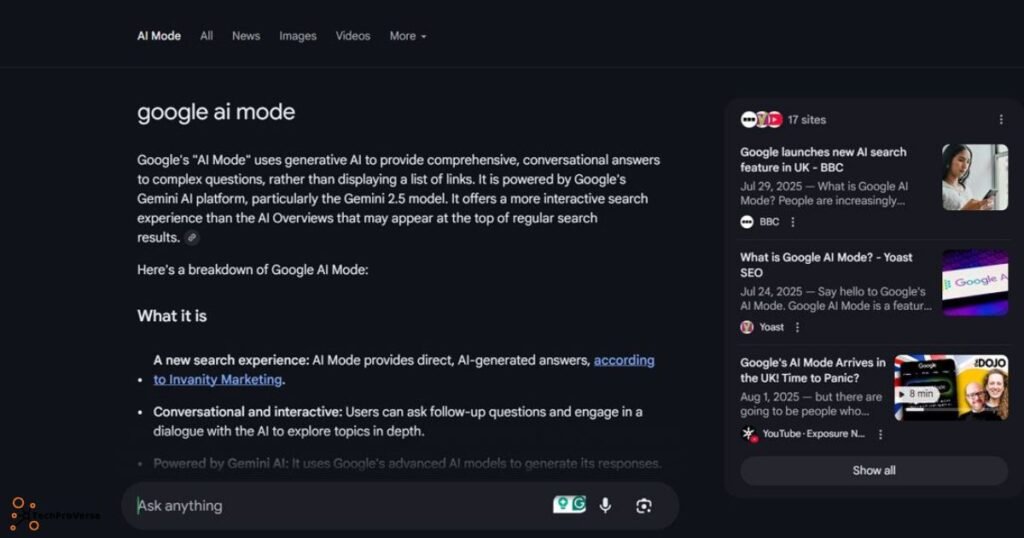
Who Should Use Google AI Mode?
- Students: Simplifies research and creates summaries
- Researchers: Compares sources and extracts insights efficiently
- General Users: Assists in planning, shopping, learning, and troubleshooting
Tips for Accurate Results
- Craft Clear Prompts: Adding context improves AI accuracy
- Use Follow-Up Questions: Refine answers without restarting the search
- Verify Critical Information: Always double-check medical, financial, or legal content
Common Limitations
- Discoverability Issues: The AI Mode toggle can be hard to spot
- Overly Wordy Responses: Some answers may be longer than necessary
- Extended Conversations: Can sometimes confuse context tracking
- LLM Hallucinations: Critical information should be verified
Final Verdict:
Google AI Mode is a big evolution in search, blending conversational AI with Google’s robust information ecosystem. It reduces friction by summarizing answers clearly and supports multi-step queries to make searching smarter, faster, and more intuitive. With continued improvements, Google AI Mode will be the default intelligent search experience of the future.
Related Headings:
How to Protect Your Data Online: Complete Guide for 2025
ChatGPT vs Google Gemini: Which AI Chatbot Will Win
Best Antivirus Software for PC
5 Best ChatGPT Alternatives
AI in Healthcare Trends 2025
Future of Artificial Intelligence
Top Free Deepfake AI Tools You Can Try Today
FAQs About Google AI Mode.
Q1. How do I turn on Google AI Mode?
You can turn it on from the AI Mode toggle at the top of Google Search results or by enabling it through Gemini-integrated Google Search on Android.
Q2. What is Google AI Mode?
Google AI Mode is an AI-powered search feature that gives conversational, summarized answers using Google’s ecosystem and Gemini AI.
Q3. Can I turn off the AI thing on Google?
Yes, you can disable AI Mode by switching off the “Search with AI” toggle or turning off AI Overviews in settings.
Q4. What is Google AI called now?
Google’s main AI system is now called Gemini AI, replacing the older Bard name.
Q5. How do I use Google AI?
You simply search normally, enable the AI Mode toggle, or use Gemini AI through the Google app or Android devices.
Q6. Is ChatGPT better than Google AI?
ChatGPT is better for creative and conversational tasks, while Google AI excels in real-time search, facts, and live data integration.

Welcome to TechProVerse! I’m Abdullah, a WordPress and front-end developer, as well as an SEO researcher with 1.5 years of experience. I help websites get built, optimized, and rank higher on Google. Let’s achieve more together!